Email templates for consistent candidate communication
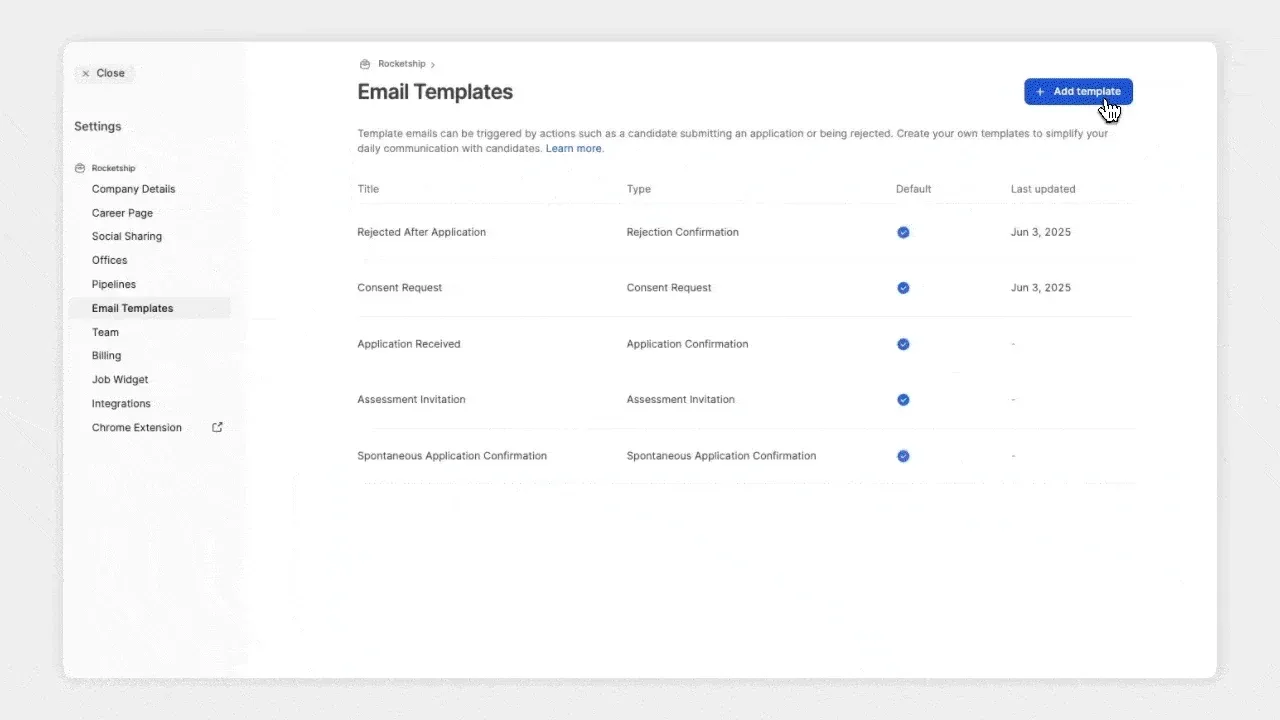
Create reusable email templates for application confirmations, rejections, and consent requests. Insert them when composing or replying, or assign default templates to automated emails.
Manage all your email templates in one place
- Effortlessly create, edit, duplicate, or delete templates for key candidate communications, such as application confirmations, rejections, and consent requests, from the new Email Templates tab in your company settings
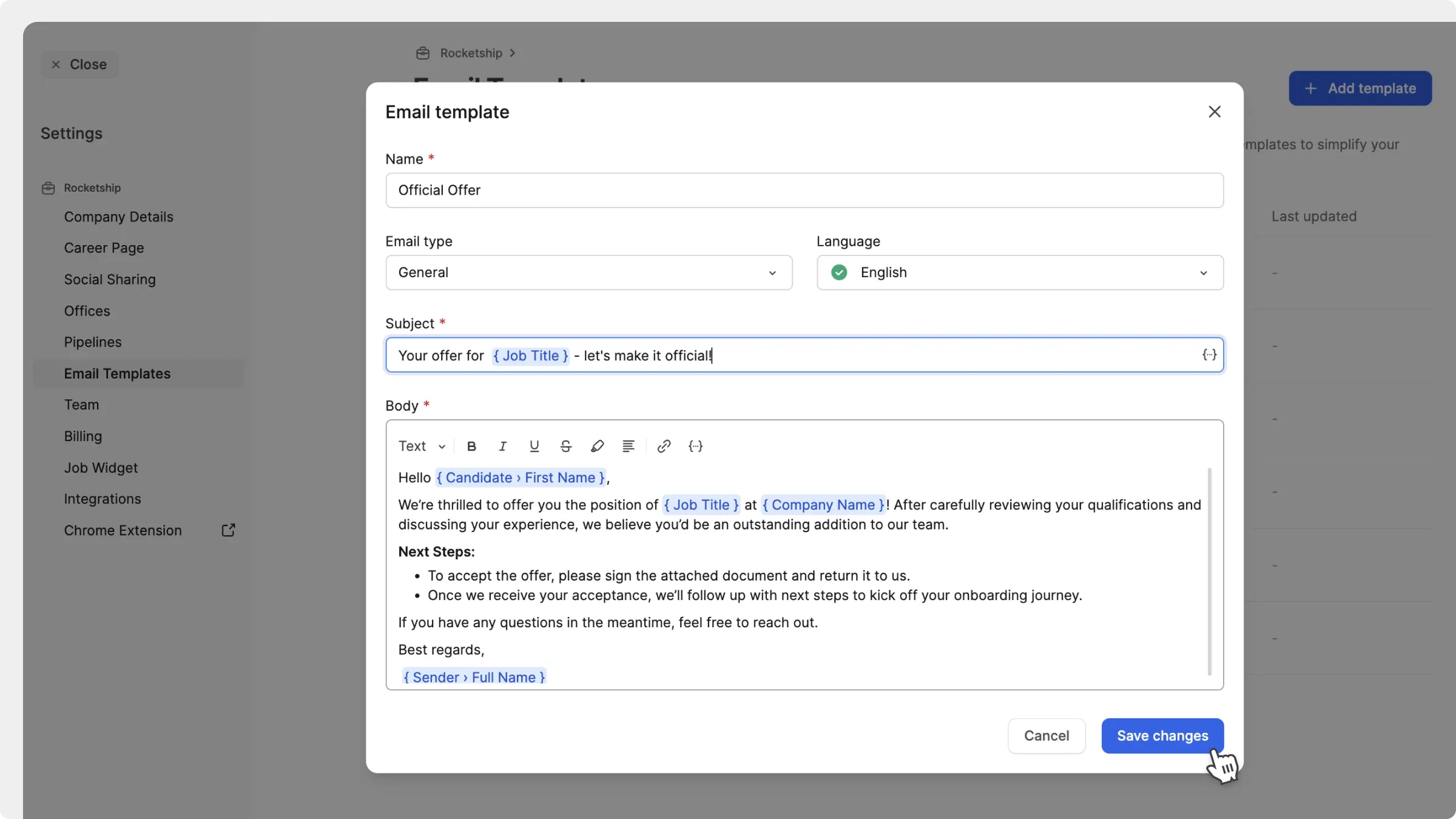
- Select from various available dynamic placeholders (like candidate name, job title, or company name) to personalise your emails

Easily use templates anywhere
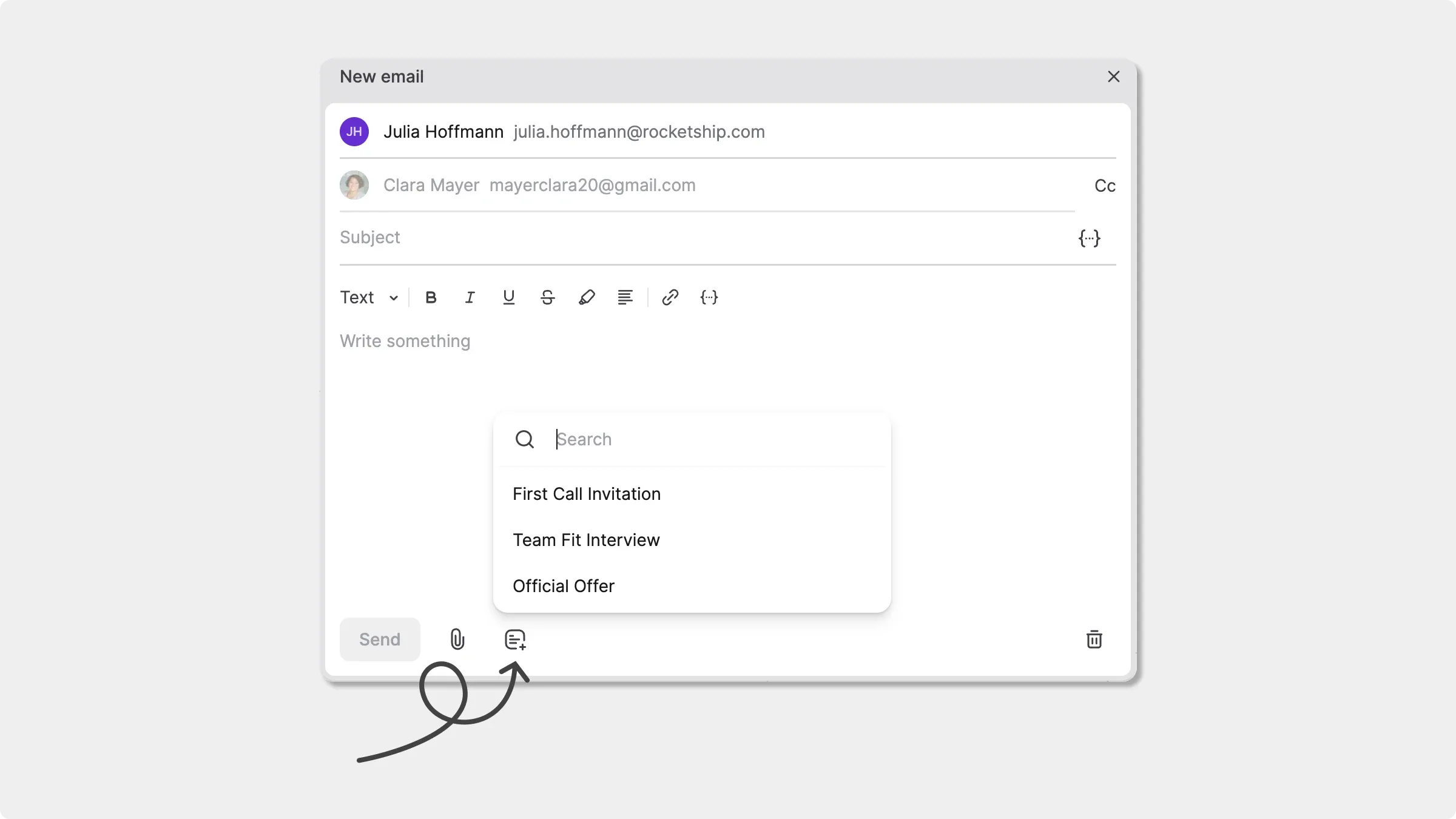
- Save time by inserting templates when composing or replying, without starting from scratch
- Click the template icon to select a template that fits the message you’re sending

Choose your sender address
When composing an email, you can now choose to send it from your Join recruiter address or your company’s no-reply email ([email protected]). Perfect for high-volume hiring, maintaining a shared identity, or protecting individual privacy. 
Customise templates for automated emails
- Assign default templates for each message type to automate your candidate emails
- Choose which email template gets sent for:
-
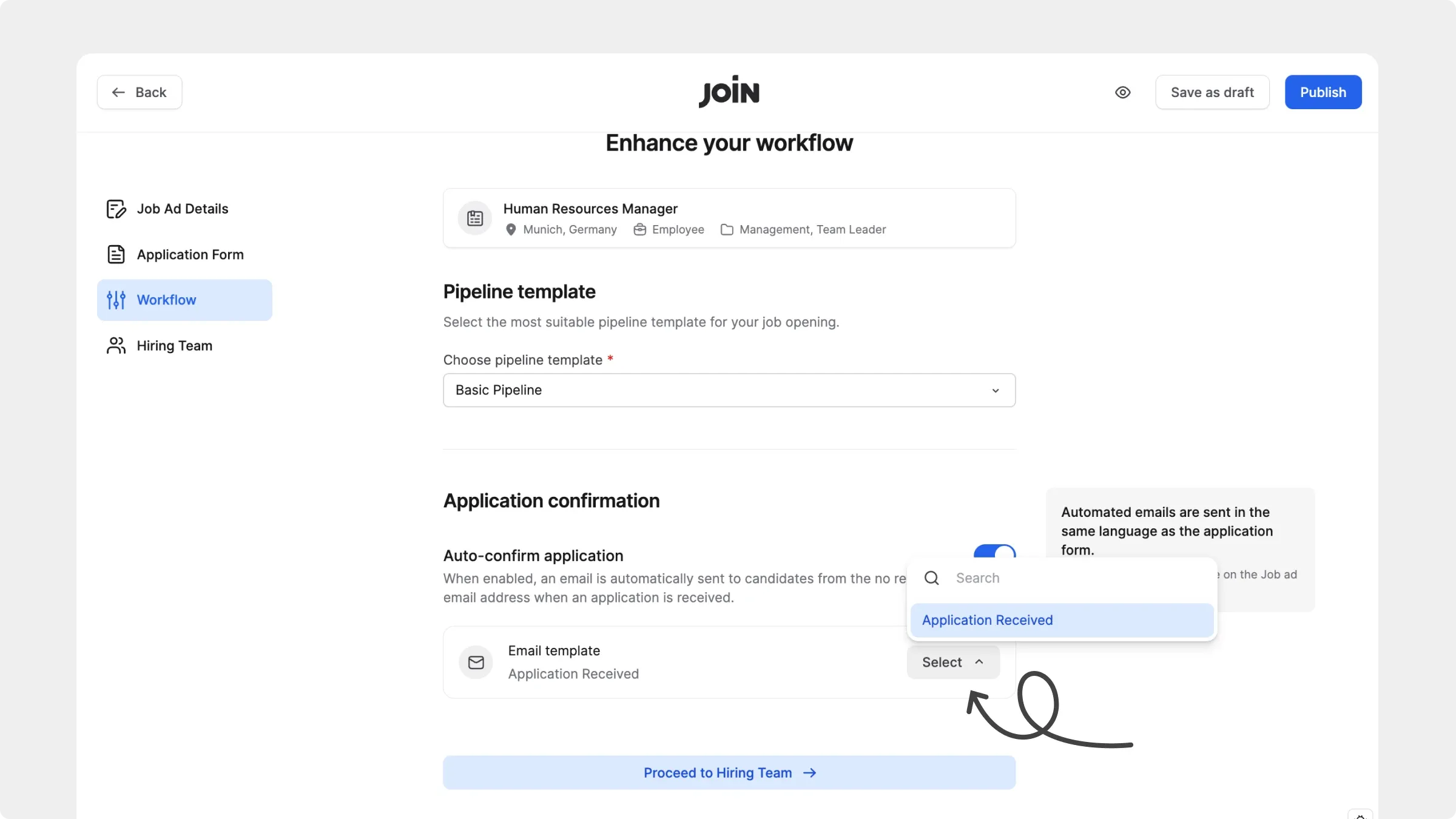
Application Confirmation (select during job creation or edit it later)
-
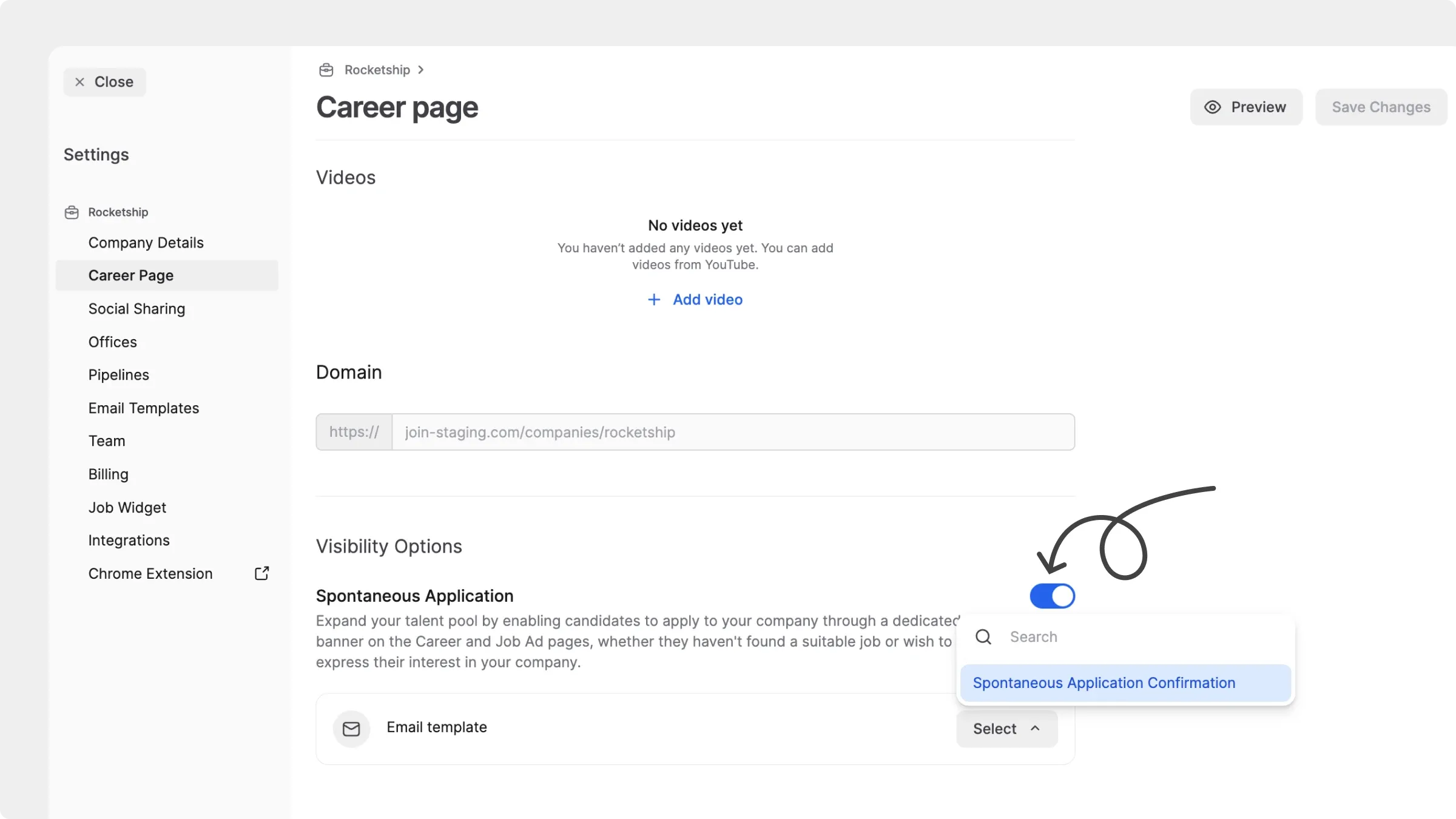
Spontaneous Application Confirmation (from your Career Page settings)
-
Consent Request (when manually importing candidates)
-
Rejection Confirmation (triggered by knockout questions, pipeline auto-reject, or manual rejections)


Pipelines tab to manage your hiring stages
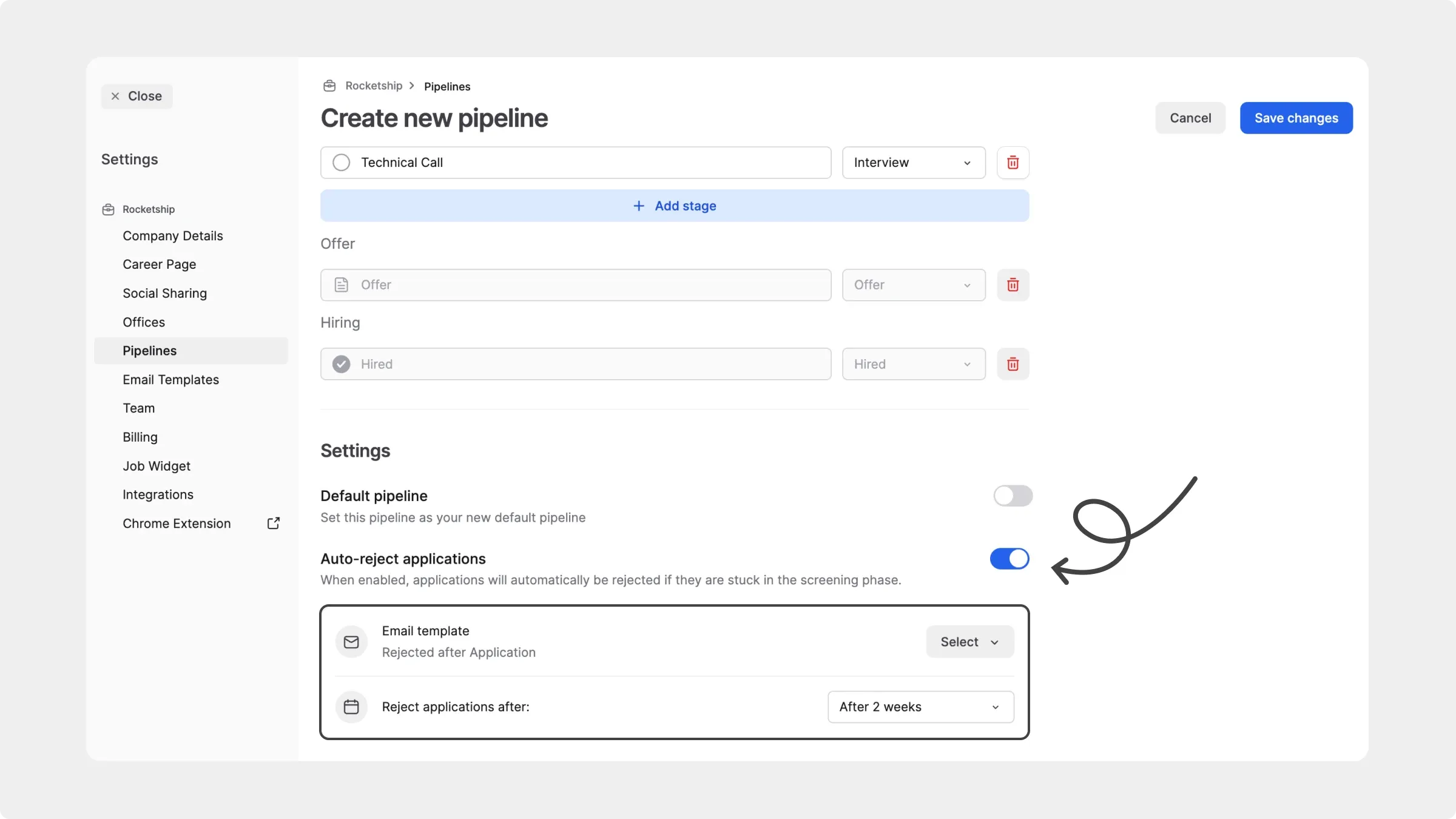
- Previously part of the old ‘Workflow’ tab, Pipelines now has its own dedicated space
- Edit pipelines used across jobs from one central place
- Enable pipeline-specific features like Auto-reject and choose which rejection template should be sent when this happens