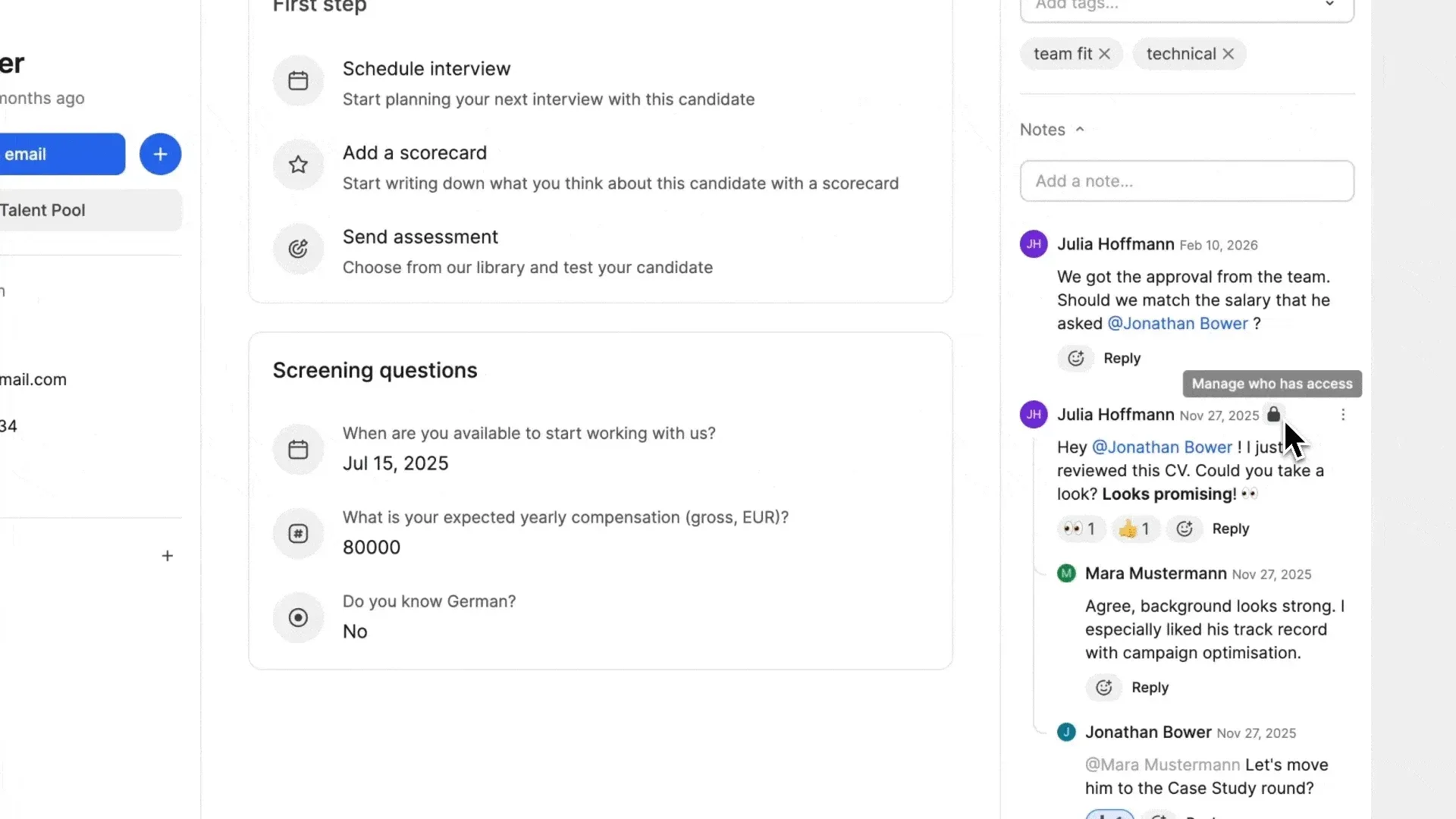
Protect sensitive feedback with Private Notes

You can now control who sees which notes on a candidate profile. Keep sensitive discussions private, while ensuring general feedback stays visible to the right team members. This update gives you full control over salary discussions, internal decisions, or confidential feedback without sacrificing transparency for everyday collaboration.
Set notes to private or public
Decide while writing whether a note should be visible to everyone with candidate access or restricted to selected team members. Private note threads are marked with a lock icon, so it’s always clear when access is limited. Visibility applies to the entire note thread.
Change visibility anytime
Switch a note thread from public to private, or back again, directly from the candidate profile. All replies inherit the thread’s visibility. If a thread is private, all replies stay private. If you make it public, all replies become public too. 
Manage note access easily
Note authors and system admins can update the visibility of a note thread at any time. Add or remove team members from private notes in the visibility modal.