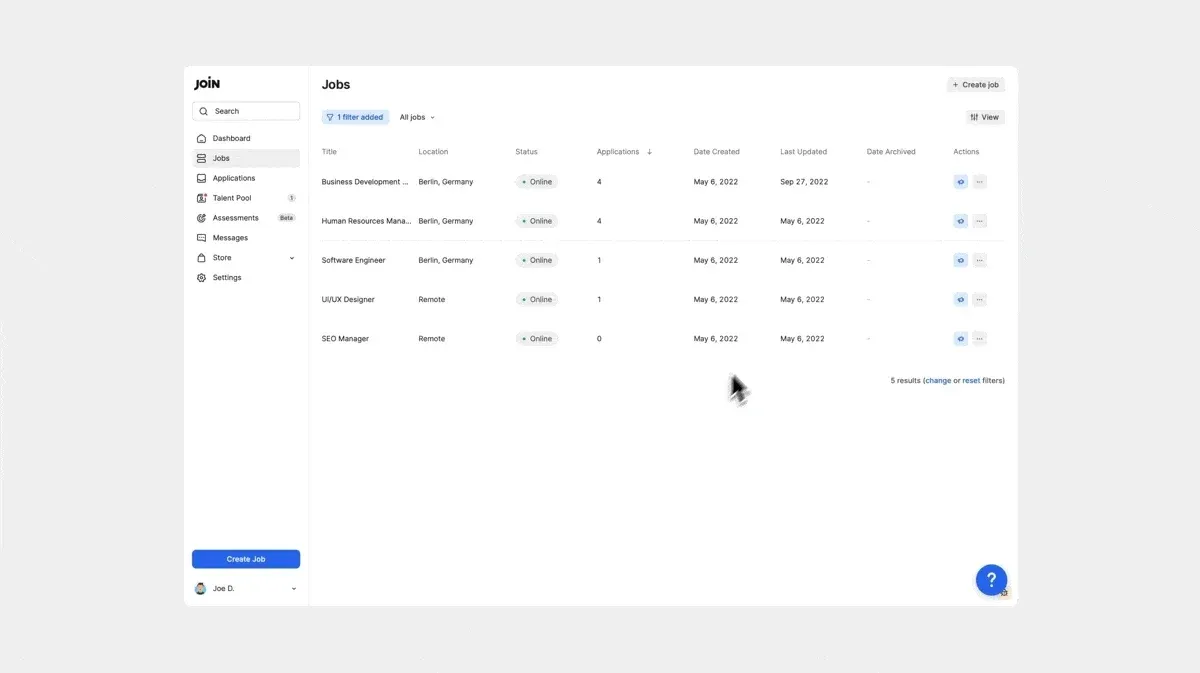
New Table & Cards views for your jobs

The Jobs page now offers more flexibility. We’ve introduced a brand-new Cards view, in addition to an updated Table view. You can easily switch between these two options, depending on your personal preference.
New Cards view
This fresh layout presents each job as a distinct card, providing a clear and concise overview with key details such as job status, last updated time, and easily accessible action buttons, including the “Promote” shortcut. This view is designed to enable you to quickly scan and manage your jobs and is now also available on your dashboard.
Updated Table view
The Table view has been enhanced with additional columns to provide more detailed information, such as the number of applications, job creation date, last update, and archive date. We have made it easier for you to customise the table and sort jobs based on job attributes.